If you’re shopping for a new restaurant point of sale (POS) system, your research is not complete until you’ve compared TouchBistro vs Clover POS. From the hardware to the payment processing solutions, there are some key differences between TouchBistro and Clover that make each system better suited to a very different type of restaurant. To help you understand the ins and outs of each POS system and what it all means for your restaurant, we’ve created a comprehensive guide to both systems.
TouchBistro vs Clover Key Takeaways:
- TouchBistro: TouchBistro is best for single and multi-location restaurants looking to run and grow their business.
- Clover: Clover is best for retail-focused restaurant concepts with less of an emphasis on dine-in service.
Quick Comparison of TouchBistro vs Clover:
| TouchBistro | Clover |
| Specifically designed for restaurants | Designed for small to medium-sized restaurants with a retail component |
| Runs on iOS and Apple iPad tablets | Runs on Android and proprietary Android hardware |
| Integrated payments with competitive rates | Low upfront costs, but hidden fees and costly add-ons |
| Extensive in-house solutions | Extensive third-party solutions |
| Starts at $0-69 USD per month | Starts at $89.95 USD per month |
The information contained on this site is accurate as of the time of publication.

Compare the top restaurant POS systems on features, pricing, payments, and more.
Which Restaurant POS is Better, TouchBistro or Clover? An Overview
If you search for restaurant POS systems, TouchBistro and Clover are bound to pop up. Both are established POS systems with integrated payment processing solutions, making them a popular option among restaurants and other food service establishments.
But while TouchBistro and Clover are both popular POS providers, here are some important differences between the two. Below, we’ll provide an overview of TouchBistro vs Clover, highlighting any similarities, some of the key differences, and what it all means for you as a restaurateur.
| TouchBistro | Clover | |
| Regional Availability | CAD, U.S., more | CAD, U.S., U.K., the Netherlands, Mexico, Brazil, and Argentina |
| POS System | Cloud-based | Cloud-based |
| Operating System | iOS | Android |
| Hardware (Tablets) | Apple iPads | Proprietary Android hardware |
Are TouchBistro and Clover Cloud-Based POS Systems?
Both Clover and TouchBistro are cloud-based POS systems. This means that your data is stored securely in the cloud on the provider’s remote servers. Cloud-based systems can run remotely over the internet, so you can access all your POS features anytime, from anywhere.
Cloud-based systems are a major upgrade from older, legacy POS systems because your POS terminals can be moved freely around the restaurant and all the information can be accessed remotely, even while you’re off-site.
And while internet connectivity may be a concern for some operators, both TouchBistro and Clover have addressed this with built-in offline functionality that allows you to continue taking orders, even if the internet goes down.
What Software Operating Systems Do TouchBistro and Clover Use?
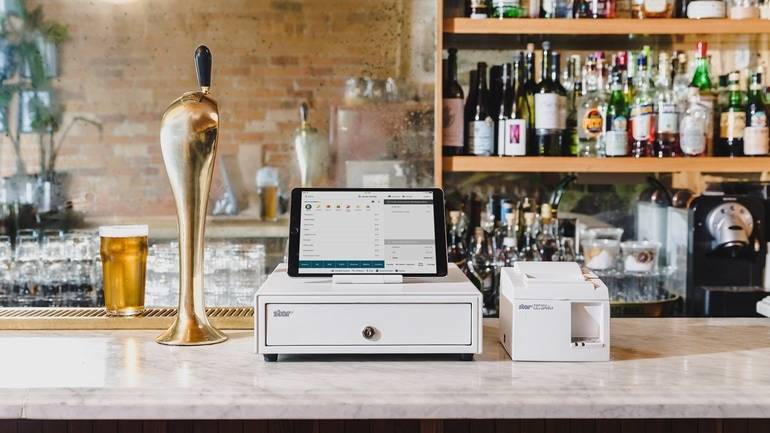
One of the biggest differences between TouchBistro vs Clover is the operating system that each runs on.
Clover runs on an Android operating system and uses proprietary Android hardware. Android systems are known for their flexibility and customization, making the operating system a great choice for restaurants looking for a very specific, bespoke solution. The drawback, however, is that Android operating systems come with a much steeper learning curve than Apple’s iOS operating system. Moreover, Android systems are frequently the target of malware, and software updates are sometimes fragmented due to the variances in Android hardware.
On the other hand, TouchBistro runs on Apple’s iOS operating system and uses Apple hardware. Unlike Android, iOS is a closed platform, meaning it’s less virus-prone than Android systems and updates are rolled out seamlessly across devices. Though there are fewer opportunities for customization with iOS, the upside is consistency and a user-friendly system that just about anyone can pick up.
Where are TouchBistro and Clover Available?
TouchBistro and Clover both operate in the U.S. and Canada. However, there are some regional differences between the two.
Clover POS is available to restaurants in the U.S., Canada, the U.K., and some more international markets (like its recent expansion into Brazil), making it a good option if you have a multi-location business with venues in more than one country. However, some of Clover’s features and add-on solutions are only available to U.S. customers, meaning those in Canada, the U.K., and other markets, may not be able to take full advantage of the system.
TouchBistro also has a global footprint, serving customers in the U.S., Canada, Mexico, and other countries. Like Clover, some of TouchBistro’s features are also limited to Canada and the U.S.
Clover vs TouchBistro POS Features
| Core POS Features | TouchBistro | Clover |
| Menu Management | ✔ | ✔ |
| Staff Management | ✔ | ✔ |
| Floor Plan Management | ✔ | ✔ |
| Tableside Ordering | ✔ | ✔ |
| Reporting | ✔ | ✔ |
| 1:1 Onboarding | ✔ | ✔ |
| Customer Support | 24/7/365 (North America-based) | 24/7/365 |
TouchBistro and Clover offer all of the same core features that other top POS providers offer, including the following:
- Menu Management: Menu management features give you the tools for building, managing, and optimizing your restaurant menu.
- Staff Management: Staff management features allow you to manage employees with personalized accounts and track labor costs.
- Floor Plan Management: Virtual floor plans can help you design your custom restaurant floor plan, take orders by table, move parties around, split checks, and more.
- Tableside Ordering: TouchBistro and Clover POS tablets can be taken tableside for faster and more accurate order taking.
- Reporting: Real-time and end-of-day reporting on key business metrics such as sales, staff activity, menu items, and more.
While both POS systems have similar core features, the way TouchBistro and Clover are set up are very different.
Clover’s POS system is only equipped with basic functionality. In order to actually use the system, users need to supplement the basic POS system with apps from Clover’s App Marketplace.
Clover’s App Marketplace is stocked with a wide variety of in-house, restaurant-specific apps, which you can download to meet different needs. For instance, the Clover Dining app allows you to create customized floor plans and manage tables, while the Clover Inventory app helps you manage all of your menu items, categories, and modifiers in one place.
Though the setup may be different than most restaurant POS systems, Clover does offer in-house apps for most basic restaurant POS features. The downside is that the free versions of these apps are often not as robust as the in-house features that come standard with other restaurant POS systems.
For instance, the free version of Clover’s Inventory app helps you track inventory counts and costs, but doesn’t allow for more advanced functions such as recipe and menu costing, menu engineering, and low-stock alerts unless operators opt for the higher-tier plans. Similarly, the free version of Clover’s Shifts app can be used to track when employees clock in and out, but it doesn’t allow managers to assign multiple job titles, or track scheduled labor costs vs gross sales.
The limited capabilities of Clover’s free apps mean that most restaurateurs will need to pay to purchase additional apps just to carry out the kind of core POS functions that come standard on most other restaurant POS systems. In some cases, you may also need to fill in gaps with third-party integrations, which can make for a more complicated POS setup.
In contrast, as a Clover alternative, TouchBistro offers a more traditional restaurant POS system setup, with robust versions of all of its core POS features included in its standard software package.
When comparing Clover vs TouchBistro, it’s clear that TouchBistro’s core POS features are very robust because the system was specifically built to fulfill the needs of restaurants. In fact, TouchBistro was awarded a patent for creating a feature that enables restaurants to easily and quickly split bills between customers. This is just one example of the extensive research and development that has gone into the development of TouchBistro’s core POS features.
Compare the top restaurant POS systems on features, pricing, payments, and more.
Clover vs TouchBistro POS Hardware
Clover uses Android hardware and TouchBistro uses Apple hardware (iPads), which is a key difference between the two providers.
| Hardware Options | TouchBistro | Clover |
| Handheld Terminal | iPad, TouchBistro One | Clover Flex |
| Baseline Countertop or Compact Terminal | iPad | Clover Station, Clover Mini |
| Kitchen Display System (KDS) Screen | iPad, Samsung Galaxy Tab S6, Lenovo Tab P11 Pro, Kitchen Armor, Geekland, and Microtouch | Clover KDS (proprietary 10” touchscreen device) |
What Hardware Does Clover Offer?
Clover sells its own Android hardware, which includes proprietary tablet options such as the Clover Flex, Clover Mini, and Clover Station. These devices come in different sizes so you can choose the hardware that best suits your restaurant’s needs. Some other hardware Clover offers is Clover Duo, a customer display screen for order and payment review, as well as Clover Go, a card reader for mobile payments (requires the Clover Go app).
Investing in proprietary hardware like the kind Clover offers is not only an expensive prospect, but it also requires you to commit to one POS provider for the long haul – especially because Clover stipulates that its proprietary hardware cannot be mixed with other third-party POS devices. Many of the top restaurant POS systems rely on Apple iPads and iOS software so if you invest in Clover’s pricey proprietary Android hardware, you won’t be able to use the devices with a Clover alternative if you switch POS providers down the line. And if you do make the switch, once your contract ends you’ll have to return the hardware back to Clover. You also can’t even test out Clover’s system without investing in some hardware upfront – a risky move if you’re on the fence about which provider to use.
Beyond the cost and lack of flexibility, the other downside to Clover’s Android tablets is that not all of Clover’s POS apps are compatible with all of its hardware configurations. This means that you need to figure out which Clover apps you’ll be using before you purchase any of Clover’s POS terminals.
What Hardware Does TouchBistro Offer?
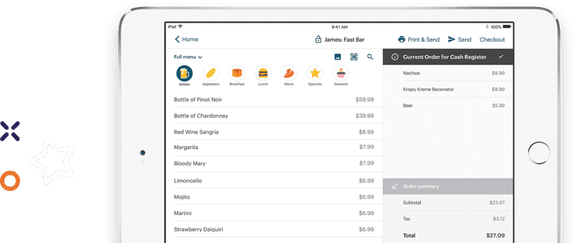
TouchBistro runs on iOS, which means iPads are the primary hardware in your POS setup. The upside to an iPad-based system is that the hardware is user-friendly and lightweight for staff to use. The hardware is also incredibly easy to source, but also to repair or replace if needed because you can purchase it directly through TouchBistro or from major retailers.
Not to mention, you could save a significant amount of money if you already own a compatible iPad. You can also continue using any existing iPads you have if you’re switching to TouchBistro from another iPad-based POS system (as long as the devices are a compatible generation).
The other benefit of POS systems that use Apple hardware is the seamless user experience. Since Apple owns both the hardware (the iPad) and the software (iOS), the two are designed to work in tandem with one another. Updates roll out automatically across your iPads and the user experience is consistent across devices.
In other words, if your staff knows how to use an iPhone, they’ll have no trouble learning to use an iPad equipped with POS software. This kind of intuitive system not only speeds up the training process, it also makes it easy for staff to troubleshoot issues on their own if they arise.
What Are the Payment Options for Clover and TouchBistro?
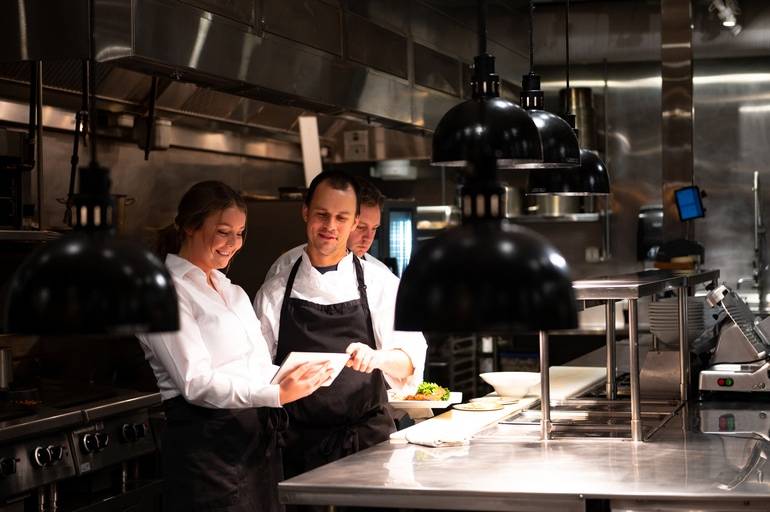
Both TouchBistro and Clover offer integrated payment processing for restaurants, as it’s now essential for modern restaurant operations.
TouchBistro vs Clover Payment Processing Solutions and Processing Fees Comparison
Both TouchBistro and Clover have similar processing solutions, but where the major difference lies is that TouchBistro provides custom-quoted payment processing rates and Clover has different rates depending on which plan the customer selects.
| Payment Processing Solutions | TouchBistro | Clover |
| Payment Types Accepted | Credit, debit, check, and mobile wallets | Credit, debit, check, and mobile wallets |
| Payment Processing rates | Custom-quoted | Basic plan: 2.6% + $0.10, Standard/Advanced/Restaurant Growth plans: 2.3% + $0.10 |
| Pre-aAuthorized Bar Tabs | ✔ | ✔ |
| Quick Response (QR) Codes | ✔ | ✔ |
| Invoices | ✔ | ✔ |
| Offline Payments | ✔ | ✔ |
Clover’s Payment Processing Fees
Clover’s payment processing rates start at 2.6% + $0.10 for those on its Basic plan and 2.3% + $0.10 for its Standard, Advanced, and Restaurant Growth plans. It’s important to note that many customers report hidden fees and unpredictable rates over time, along with a buyout fee if customers choose to leave early.
Part of the reason for these hidden fees and rate changes is because Clover was acquired by the payment processing company Fiserv (First Data). As a result, Fiserv is the only integrated payments solution that Clover supports and all of its contracts are designed to maximize payment processing revenue.
TouchBistro’s Payment Processing Fees
TouchBistro also offers integrated payment processing. TouchBistro’s payment processing rates are custom-quoted and locked in for the contract term, so you know exactly what you’re paying.
TouchBistro Payments is also backed by best-in-class payment processing technology, advanced security, and the support of dedicated payment experts. With TouchBistro Payments, you benefit from a seamlessly integrated payment processing solution with multiple use cases, along with highly competitive rates. This means you can rest easy knowing you won’t face any surprises on your monthly bill.

Comparing TouchBistro vs Clover Add-On Solutions
TouchBistro and Clover both offer many of the same add-on solutions, including online ordering, gift cards, loyalty, and more.
| Add-On Solutions | TouchBistro | Clover |
| Integrated Payments | ✔ | ✔ |
| Inventory | ✔ | ✔ |
| Labor Management & Staff Scheduling | ✔ | ✔ (only basic staff management tools) |
| Online Ordering | ✔ | ✔ |
| Integrated Delivery | ✔ | ✘ |
| Delivery Management | ✘ | ✘ |
| Reservations | ✔ | ✘ |
| Gift Cards | ✔ | ✔ |
| Loyalty and Customer Relationship Management | ✔ | ✔ |
| Marketing | ✔ | ✔ |
| Back Office Management | ✔ | ✔ |
| Self-Serve Kiosks | ✘ | ✔ |
| Kitchen Display System (KDS) | ✔ | ✔ |
| Customer Facing Display | ✔ | ✔ |
| Digital Menu Board | ✘ | ✘ |
As mentioned above, Clover’s POS system is comprised of different apps that you can download from Clover’s App Marketplace. Some of the in-house apps that Clover offers for add-on services include:
- Online Ordering: Clover’s offers online ordering solutions for your restaurant’s website and custom mobile ordering apps.
- Gift Cards: Clover offers physical gift cards and digital gift cards.
- Loyalty and CRM: Clover allows customers to add-on customer relationship management tools and reward programs.
- Marketing: Clover allows you to add-on built-in marketing tools and an easy-to-use website builder.
- Kitchen Display System (KDS): Clover offers a digital KDS that provides an instant line of communication between front of house and back of house staff.
- Customer Facing Display: Clover offers counter-service systems that allow customers to place their orders directly from a POS tablet.
The biggest benefit of Clover’s App Marketplace is that customers can pick and choose from the various add-on solutions, only selecting those they actually need. The drawback is that Clover only offers a limited number of its own in-house add-ons. So, if you need a major add-on solution like reservations, you’ll have to use a third-party partner. And if you need many different add-ons, it can become an overwhelming amount of apps to manage.
For multi-location restaurant businesses, this complicated app setup is particularly inadequate because you don’t have one single source of truth for managing and overseeing all your restaurants. Ultimately, this leads to workflow challenges because the data is fragmented and it makes it difficult to carry out certain functions, like making bulk edits to your menu across locations, managing collective food costs, or comparing sales performance.
TouchBistro also has an app marketplace called TouchBistro Cloud for its add-on solutions. Within this app marketplace, customers can add different services to their existing subscription – add-ons that support both single and multi-location venues. There is a wide range of these add-on solutions available, including:
- Payments: TouchBistro offers integrated payment processing services, so payments flow directly from payment terminals into your POS.
- Inventory: TouchBistro Inventory Management does the heavy-lifting with a digital database of all your items and up-to-date counts of your consumables.
- Labor Management: TouchBistro Labor Management has staff scheduling tools and labor management automations that make it faster and more cost-effective to manage staff.
- Online Ordering: TouchBistro Online Ordering allows customers to place orders for takeout or curbside pickup directly from a restaurant’s website and the order is processed through the POS in real-time.
- Reservations: TouchBistro Reservations allow guests to reserve tables directly through a restaurant’s website and other online channels.
- Gift Cards: TouchBistro customers can add on branded physical gift cards with multi-location reconciliation.
- Loyalty and CRM: TouchBistro has an integrated CRM and rewards program that helps drive repeat visits.
- Marketing: TouchBistro has a marketing solution that helps restaurants create and automate custom marketing campaigns.
- Profit and Back Office Management: TouchBistro Profit Management Powered by Margin Edge is a back office solution that helps operators manage inventory, invoicing, bill payments, and more.
- Kitchen Display System (KDS): TouchBistro’s Kitchen Display System Powered by Fresh is a digital system that improves efficiency by instantly displaying order tickets sent directly from the POS.
- Customer Facing Display: A counter-service system that faces the customer so they can visually confirm their order.
Of this lengthy list of add-ons, perhaps the most unique offering is TouchBistro’s integrated reservations software – an in-house add-on that Clover does not offer.
TouchBistro Reservations is a complete reservation and guest management platform that allows you to accept and manage reservations, create digital waitlists, and communicate with guests via SMS and email. These web and mobile reservations sync directly to your POS for a seamless flow of information between front of house and back of house staff.
Restaurants that use TouchBistro Reservations are also automatically listed on the TouchBistro Dine platform so they can tap into an existing customer network and enjoy greater marketing exposure. Though not every restaurant will need integrated reservations, this software is becoming increasingly valuable for maximizing table turnover.
Compare the top restaurant POS systems on features, pricing, payments, and more.
Comparing TouchBistro and Clover’s Integration Partners
| Integration Partners | TouchBistro | Clover |
| Online Ordering and Delivery | ✔ | ✔ |
| Reservations | ✘ (in-house solution) | ✔ |
| Loyalty | ✘ (in-house solution) | ✔ |
| Staff Management, HR, and Payroll | ✔ | ✔ |
| Inventory Management | ✔ | ✔ |
| Accounting | ✔ | ✔ |
| Reporting and Analytics | ✔ | ✔ |
| Ecommerce | ✘ | ✔ |
| Kitchen Display Systems | ✘ (in-house solution) | ✔ |
TouchBistro and Clover integrate with many third-party partners to supplement its in-house offerings. Both offer third-party integrations for the following:
- Online Ordering and Delivery Marketplaces: TouchBistro and Clover integrate with aggregators like Ordermark that sync multiple different third-party ordering apps with your POS system.
- Staff Management, HR, and Payroll: TouchBistro and Clover customers can choose to integrate with employee scheduling and labor management tools like 7shifts, as well as payroll providers like Push Operations.
- Inventory Management: TouchBistro and Clover’s POS can integrate with advanced inventory management tools such as MarketMan.
- Accounting: TouchBistro and Clover both offer integrations with accounting middleware software like MarginEdge and Shogo.
- Reporting and Analytics: TouchBistro and Clover offer integration with software, such as Avero, which offers advanced reporting and business insights.
Clover is essentially run on apps, so it comes as no surprise that the company offers integrations with a wide variety of third-party providers. Although Clover does offer numerous options to integrate with third-party providers, it’s important to note that some of these integrations do require additional fees with limited API (Application Programming Interface).
A benefit of Clover’s App Marketplace is how easy it is for restaurateurs to find the perfect solution for different functions. Not to mention, the Clover API is available to developers so there is the option to design your own app if there’s a bespoke feature you need.
TouchBistro does not support the same kind of app ecosystem as Clover, meaning you have a more limited list of third-party partners to choose from. Part of the reason for this is that TouchBistro offers more of its own native solutions, such as an integrated reservations platform and back office management. In many cases, these in-house solutions are preferable to third-party apps because they were created to sync directly with a restaurant POS, and are less likely to experience the kinds of bugs and errors associated with integrations.
In cases where an in-house solution is not available, the third-party integrations that TouchBistro does support are largely industry-leading solutions, such as 7shifts for scheduling, MarginEdge for inventory, and Deliverect for online ordering. This means that even though TouchBistro may not offer as many third-party partners as Clover, most restaurateurs will be able to use their preferred third-party solution with TouchBistro.
How Much Do Clover and TouchBistro Cost?
TouchBistro’s POS software starts at $69 USD per month, while Clover’s POS software starts at $89.95 USD per month.
| Pricing | TouchBistro | Clover |
| Software Pricing | Point of Sale: starting at $69 USD / month Essentials: starting at $119 USD / month Custom Setup: custom pricing | Quick Service Starter = $89.95 USD / month Quick Service Standard = $89.95 USD / month Quick Service Advanced = $109.90 USD / month Full Service Starter = $89.95 USD / month Full Service Standard = $109.90 USD / month Full Service Advanced = $129.85 USD / month |
With Clover, your monthly software costs will vary based on what system you choose. For example, full service restaurant operators can choose between a selection of full service POS offerings starting at $89.95 USD per month, all the way to $129.85 USD per month for more advanced features. Though the monthly fees for Clover’s software are in line with most other restaurant POS systems, it’s important to also take into account the cost of purchasing the initial hardware.
TouchBistro boasts a much more straightforward, transparent, and predictable pricing model for its restaurant POS software. TouchBistro’s software fees start at $69 USD per month, which puts it on the more affordable end for POS software. TouchBistro also offers different pricing bundles based on your needs. The Essentials bundle starts at $119 USD per month with $0 hardware upfront so you can fully equip your restaurant with all the hardware and software you need, along with an integrated payment processing solution.
All of TouchBistro’s plans include the full suite of core POS features, unlimited users, free updates, and 24/7/365 support.
TouchBistro vs Clover: Hardware Pricing
| Pricing | TouchBistro | Clover |
| Primary Terminal | $349 + (iPad + Stand) | Clover Station Duo (countertop POS): $1,349+ Clover Mini (compact POS): $799 |
| Handheld Device | $349 + (iPad Mini) | Clover Flex (handheld POS): $499+ Clover Go (mobile card reader): $49 |
| KDS Screen: | $349+ | Clover KDS: $599 |
Since Clover uses proprietary hardware, you’ll have to make a big upfront investment in POS hardware – hardware that you won’t be able to use with another system if you decide to switch providers in the future. And if you do choose to switch, Clover has a pricey buyout fee for early termination.
With TouchBistro, you also need to buy the necessary POS hardware, unless you purchase the Essentials bundle with $0 upfront hardware. However, TouchBistro runs on Apple iPads so you may be able to save on hardware costs if you already own a compatible generation – something that’s not possible with Clover.
Compare the top restaurant POS systems on features, pricing, payments, and more.
Clover vs TouchBistro Customer Support
When comparing TouchBistro and Clover’s customer support quality, TouchBistro is often considered the better option, especially right off the bat during onboarding. TouchBistro has dedicated onboarding managers who will help with menu setup, staff training, and ensuring a smooth set up experience. TouchBistro also offers support from a team of in-house experts who are former restaurant staff or owners.
For any issues with TouchBistro’s hardware, software, or integrated payments, all customers can access 24/7 North America-based support via phone or email, 365 days of the year. This means you can get answers to any question, at any time – whether it’s in the middle of a lunch service or the middle of the night. TouchBistro also boasts an extensive online resource library, complete with step-by-step guides and videos that restaurateurs can use to troubleshoot any issues.
On the other hand, Clover tends to have minimal support and has a “drop-off and go” approach to onboarding, where customers receive little initial hands-on support and experience a lack of support post-onboarding.
If you’re using Clover, your customer support options will depend on the specific problem you’re facing. For instance, if you’re dealing with payment processing or merchant account issues, you’ll need to contact your dedicated payment processor for help (unless you signed up with Fiserv itself). However, if you need support for the actual software or hardware, you can reach out to Clover directly.
For immediate issues, Clover POS offers 24/7/365 phone support. For less pressing issues, the company has a self-serve help center with guides, FAQs, video tutorials, and troubleshooting tips. These online resources can be helpful in solving minor issues, but won’t help you address issues with any third-party apps you’re using.
In terms of support quality, Clover’s customer support is also seen as inconsistent when issues arise post-sale due to their slower, sometimes outsourced responses, and longer wait times. Ultimately, this can lead to operational disruptions for operators and low reliability.

Frequently Asked Questions (FAQs)
Which POS is easier for staff, Clover or TouchBistro?
TouchBistro’s POS is generally easier for restaurant staff because it is specifically designed for restaurants, with an intuitive interface and user-friendly iPad devices. On the other hand, Clover has a slight learning curve due to its proprietary Android devices.
Is Clover or TouchBistro better for quick-service restaurants?
While Clover handles basic transactions, TouchBistro is the better POS because it is built to manage the high-volume complexities of quick service operations. TouchBistro outperforms simpler systems where it matters most: delivering seamless handling of complex menu modifiers for fast order customization, reducing ticket times, and precise food cost tracking to protect your margins.
Which is better for busy cafés, Clover or TouchBistro?
TouchBistro is better for busy cafés because its software is straightforward to use and easy to train new staff on. The ordering interface allows baristas to punch in complex drink modifications, add custom notes, and send tickets to the espresso bar in fewer taps than Clover. Clover can process a basic coffee sale, but its clunkier checkout flow slows down lines when custom orders start stacking up.
Which POS system, Clover or TouchBistro, increases table turnover?
TouchBistro directly accelerates table turnover with its use of lightweight, mobile iPads that allow for more flexibility for staff with tableside ordering, splitting complex bills, and processing payments right at the table. Clover frequently forces servers to pace back and forth to fixed central terminals, adding critical minutes of delay to every single table rotation.
Is Clover POS or TouchBistro better for inventory control?
TouchBistro is better for inventory control because TouchBistro offers an enterprise-ready inventory management solution with advanced functionality such as automated inventory counts, food prep forecasting, digital waste tracking, allergen mapping, and more. In contrast, Clover’s inventory management capabilities are basic and often require customers to be on higher-tier plans to access advanced features like recipe-level tracking.
Which POS has better reporting, Clover or TouchBistro?
TouchBistro delivers robust, in-depth restaurant reporting that scales with your business. Whether you run a single location or manage a multi-unit business, TouchBistro provides real-time insights, breaking down detailed sales, labor, and inventory performance across your entire business. In contrast, Clover’s reporting is more generic and restricted to basic metrics like overall sales volume and transaction counts, leaving restaurant operators in the dark about more granular restaurant-specific metrics.
The Bottom Line
In summary, Clover is best suited for restaurants with an integrated retail concept due to its mix of restaurant-specific and retail features. For these smaller, hybrid venue types, Clover’s customizable app setup and lower upfront costs can be appealing.
TouchBistro is best for growing single and multi-location venues, offering transparent pricing with no hidden fees, non-proprietary iPad-based hardware, and 24/7 North American-based support. These solutions can effectively support all types of restaurants, like bars, breweries, quick service, and full service restaurants.
When weighing your restaurant POS systems, there’s a lot to consider and no two restaurants will have the same needs. With this head-to-head comparison of TouchBistro vs Clover, you now have the information you need to make an informed decision about the kind of POS system and payment processor that’s right for your restaurant and your team
Know someone who needs a new restaurant POS? Refer them to TouchBistro and get rewarded.

Katherine is the Content Marketing Manager at TouchBistro, where she writes about trending topics in food and restaurants. The opposite of a picky eater, she’ll try (almost) anything at least once. Whether it’s chowing down on camel burgers in Morocco or snacking on octopus dumplings in Japan, she’s always up for new food experiences.
Comparing POS systems? Get our Ultimate Guide
The right POS should help you increase sales
The right POS should help you increase sales.