If you’re shopping for a new restaurant point of sale (POS) system, you’ll definitely want to compare TouchBistro vs Lightspeed.
Both TouchBistro and Lightspeed are popular POS solutions for restaurants. But while TouchBistro and Lightspeed’s restaurant POS systems may seem similar upon first glance, there are some important differences between the two. To help you find out which system is the right fit for your restaurant, we’ve laid out a head-to-head comparison of TouchBistro vs Lightspeed.
TouchBistro vs Lightspeed Key Takeaways:
- TouchBistro: TouchBistro is best for single and mutli-location restaurants looking for a dedicated restaurant POS system.
- Lightspeed: Lightspeed is best for hybrid restaurant concepts that also include a retail component, such as breweries with bottle shops, or cafes that also sell groceries.
Quick Comparison of TouchBistro vs Lightspeed:
| TouchBistro | Lightspeed |
| Exclusively designed for restaurants | Designed for restaurants and retail |
| Runs on iOS and Apple iPad tablets | Runs on iOS and Apple iPad tablets |
| User-friendly design | Complex workflows |
| Starts at $69/month USD | Starts at $69/month USD |
| Best for single and multi-location restaurants | Best for restaurants with an integrated retail concept |
The information contained on this site is accurate as of the time of publication.

Compare the top restaurant POS systems on features, pricing, payments, and more.
Which is Better for Restaurants, TouchBistro or Lightspeed?
Both TouchBistro and Lightspeed are good POS options for restaurants, but TouchBistro is the better choice because of its restaurant-first design and straightforward food and beverage workflows.
Below, we’ll provide a brief overview of TouchBistro vs Lightspeed, noting the areas of overlap and parsing through some of the key differences that make TouchBistro a better option for most restaurants.
| TouchBistro | Lightspeed | |
| Regional Availability | CAD, U.S., Mexico, U.K., and more | CAD, U.S, MX, Europe, Australia, New Zealand, and South Africa |
| POS System | Cloud-based | Cloud-based (cloud with local-server fallback option also available for an additional fee) |
| Operating System | iOS | iOS |
| CAD, U.S., and more | CAD, U.S, MX, Europe | |
| Hardware | iPads | iPads |
Are TouchBistro and Lightspeed Cloud-Based Systems?
TouchBistro and Lightspeed are similar in that they are both modern, cloud-based POS systems. Cloud-based systems are a major upgrade over the legacy systems of the past, because they give restaurants more freedom to move POS terminals around the restaurant and more flexibility to access data off-site.
Of course, one of the downsides of an Iinternet-reliant POS system is that you can lose function if the internet goes down. To solve for this issue, TouchBistro and Lightspeed have taken two slightly different approaches.
To address the issue of internet-related downtime, Lightspeed gives customers the option to add on a piece of hardware to their system called Lite Server, which is a physical hardware device that acts as a localized backup of the cloud-based server. Essentially, the locally-installed server allows you to continue using Lightspeed’s restaurant POS in the event of an internet outage – though you still won’t be able to process credit card payments offline. In other words, Lightspeed does give you the option to have an offline mode for your POS, but you will need to pay for it.
Unlike Lightspeed, TouchBistro’s cloud-based POS system features a built-in offline mode. This means that you enjoy the same flexibility and remote capabilities of a strictly cloud-based system, such as tableside ordering and cloud-reporting. But thanks to the built-in offline mode, your POS terminals can still talk to one another and you can continue taking orders and sending information to the kitchen, even when the internet is down. In other words, even if you experience a slow or unreliable WiFi connection, your POS functionality will be maintained thanks to this built-in contingency feature.
What Operating Systems Do TouchBistro and Lightspeed Use?
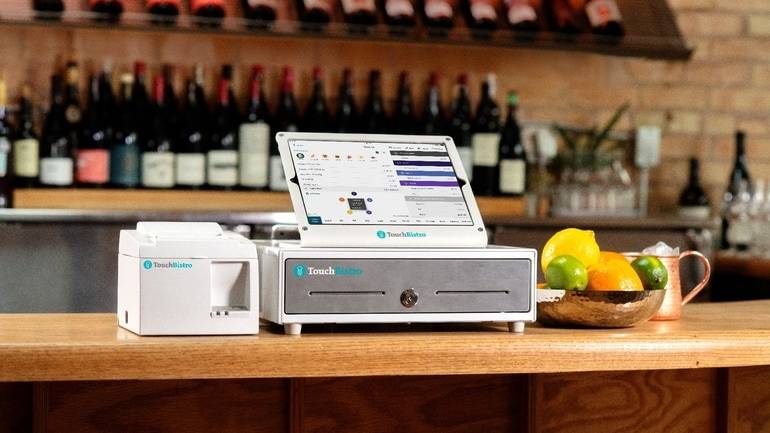
Both TouchBistro and Lightspeed are iPad-based POS systems. Both companies’ hardware ecosystem is based on Apple iPads and iPad Minis, which run on the iOS operating system. iOS is considered to be a more reliable and user-friendly operating system than Android because Apple owns both the hardware (the iPad) and the software (iOS). This allows for a seamless integration between the POS software and tablets, and automatic updates across devices.
Where are TouchBistro and Lightspeed Available?
Both TouchBistro and Lightspeed primarily serve the North American markets. However, there are some differences in their global availability.
Lightspeed primarily serves the Canada, U.S., Mexico, Australia, New Zealand, South Africa, and European markets. It’s worth noting that while many add-ons are available, the availability and functionality of these add-ons can differ depending on the country, with some features limited to specific regions such as Canada or the U.S.
TouchBistro primarily serves the Canada, U.S., and Mexico markets, but its POS system is available globally and used in more than 100 countries. TouchBistro’s POS features are virtually the same in all markets, however some add-on features are unavailable outside of North America.
Is Lightspeed a Public Company?
Lightspeed is a public company. While the concept of whether a POS provider is public or not may not sound like something that would matter, it can impact your experience more than you might think.
Lightspeed is a public company that IPOed in March of 2019. With shareholders to answer to and a renewed focus on profitability, Lightspeed has begun to invest heavily into its retail and golf course management software, and has actually sold its U.S. hospitality product line, Upserve, to the private equity firm Skyview Equity. In fact, recent coverage by BetaKit outlines Lightspeed’s plans to streamline its focus on the European market and North American retailers – sectors which currently drive three quarters of Lightspeed’s total revenue and are expected to drive 80% by the end of next fiscal year, according to company CEO Dax Dasilva. This very public focus on the retail market suggests less of a focus on the company’s restaurant-specific solutions.
A POS Feature Comparison of TouchBistro vs Lightspeed
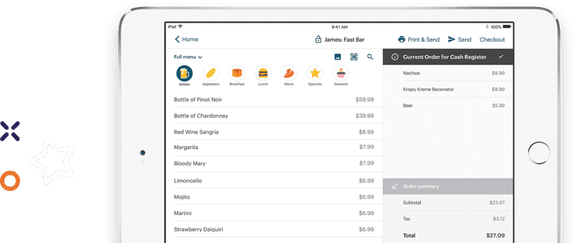
TouchBistro and Lightspeed have a very similar set of core POS features, including tableside ordering, menu management, staff management, floor plan management, and reporting. However, the level of research and development backing these features is not entirely equal.
| Core POS Features | TouchBistro | Lightspeed |
| Menu Management | ✔ | ✔ |
| Staff Management | ✔ | ✔ |
| Floor Plan Management | ✔ | ✔ |
| Tableside Ordering | ✔ | ✔ |
| Reporting | ✔ | ✔ |
| 1:1 Onboarding | ✔ | ✔ |
| Customer Support | 24/7/365 | 24/7 |
Lightspeed was originally founded as a POS and ecommerce software provider for retail businesses. It was not until nine years into business that Lightspeed expanded its offerings to include POS software for restaurants as well. And while Lightspeed now serves a number of restaurants, Lightspeed continues to invest in verticals like retail and golf, with its broader focus being on unified commerce – building a single platform that integrates POS, payments, e-commerce, and analytics across multiple business types. In fact, according to a press release from the company, Lightspeed officially changed its name to Lightspeed Commerce Inc. in 2021 to reflect its laser-focus on retail, eCommerce, and driving payments revenue.
Lightspeed’s overwhelming emphasis on the retail sector means that, unlike some of the other POS providers on the market, Lightspeed’s research and development efforts are split between different areas of focus. As a result, some of Lightspeed’s core restaurant POS features are not quite as robust as other solutions on the market and there is less investment in building new solutions for restaurant businesses. For instance, Lightspeed POS reviews highlight operational inefficiencies and bugs, such as a lag during table transfers and accidental check merging.
In contrast, TouchBistro is and always has been purpose-built for restaurants since its founding in 2010. TouchBistro only serves the restaurant industry, which means all of its research and development goes towards continuously improving its core POS features and developing new solutions for restaurateurs. Over time, this has allowed TouchBistro to establish a robust set of core POS features that are specifically designed for unique restaurant workflows and usability, such as bill splitting that can be done in just a few clicks, seamless table transfers, and easy tab management.

TouchBistro vs Lightspeed: Available Hardware
TouchBistro and Lightspeed restaurant POS both use Apple iPad tablets as the POS terminals. iPads are generally the tablet of choice for most of the top restaurant POS systems, which means that if you’re switching from another iPad-based POS, you can reuse your existing iPads to save money on hardware costs (as long as the iPads are a compatible generation).
Beyond the more technical aspects, the other reason why Apple iPads are perfect for restaurant POS systems is because the devices are extremely user-friendly – especially for those who are already familiar with other Apple devices such as iPhones and MacBooks. Even for staff who have never used Apple technology before, Apple’s hardware and software is so intuitive that it’s easy to learn right out of the box.
In addition to iPads, TouchBistro and Lightspeed also offer additional hardware for the restaurant POS systems, including printers, payment terminals, stands, cash drawers, and more. It is worth noting that Lightspeed’s website states that its printers only support a one-to-one wireless Bluetooth connection with iOS devices. This means that each Bluetooth printer can be paired with a single POS register and needs to stay within 5-10 meters to maintain a stable connection. This is cited as a common bottleneck in many Lightspeed restaurant POS reviews, and may be worth considering if you need support for multiple printers (like one for customer checks and one for kitchen orders) in your restaurant.
Compare the top restaurant POS systems on features, pricing, payments, and more.
Comparing Lightspeed vs TouchBistro on Payment Fees
| Payments | TouchBistro | Lightspeed |
| Processing Fees | Custom-quoted | Card-present: starting at 2.6% + $0.10 Card-not-present: starting at 2.9% + $0.30 |
Lightspeed customers can use Lightspeed Payments, which is an integrated payment processing solution powered by the global payments platform Stripe. Integrated payments are required for some bundles, and the rates start at 2.6% + $0.10 for card-present transactions and 2.9% + $0.30 for card-not-present transactions. However, if you receive your hardware for “free” or at a reduced cost, Lightspeed may charge higher payment processing rates to make up for the up-front discount. This kind of arrangement makes it difficult to see your true costs and you can end up paying more in payment processing fees over time compared to simply buying your hardware outright.
TouchBistro also offers an integrated payment processing solution called TouchBistro Payments, but its rates are custom-quoted. Competitive, custom-quoted rates allow for discounts for higher volume restaurants and make it easier to know exactly what you’re paying because the rate is not tied to your hardware costs.
TouchBistro Payments is also powered by some of the most trusted financial institutions (Chase in the U.S. and Moneris in Canada), which means you benefit from best-in-class payment processing technology, advanced security, and the support of dedicated payments experts.
Comparing Lightspeed vs TouchBistro’s Add-On Solutions
TouchBistro and Lightspeed both offer a similar set of add-on solutions, including advanced inventory management, online ordering, loyalty, marketing, and more. However, there are some differences in the capabilities of these add-ons.
| Add-On Solutions | TouchBistro | Lightspeed |
| Integrated Payments | ✔ | ✔ |
| Inventory | ✔ | ✔ |
| Labor Management and Staff Scheduling | ✔ | ✔ |
| Online Ordering | ✔ | ✔ |
| Integrated Delivery | ✔ | ✔ |
| Delivery Management | ✘ | ✔ (Partnership with Deliverect) |
| Reservations | ✔ | ✔ (in beta) |
| Gift Cards | ✔ | ✔ |
| Loyalty and Customer Relationship Management | ✔ | ✔ |
| Back Office Management | ✔ | ✔ |
| Marketing | ✔ | ✘ |
| Self-Serve Kiosks | ✘ | ✔ |
| Kitchen Display System | ✔ | ✔ |
| Customer Facing Display | ✔ | ✔ |
| Digital Menu Board | ✘ | ✘ |
For instance, both TouchBistro and Lightspeed offer a native restaurant reservations solution. However, Lightspeed’s reservation solution is very new and still only in beta mode, which means it’s not available to all customers. It also means that the solution lacks some more advanced reservations software features, such as a public discovery platform.
Comparatively, TouchBistro’s native reservation reservations solution, TouchBistro Reservations, has been available since 2019 and is equipped with a robust set of features that support specific restaurant workflows, such as no show deposits, waitlisting, POS-integrated table management, and two-way guest communication. TouchBistro Reservations also has a public discovery platform called TouchBistro Dine, giving restaurants additional exposure to diners.
This difference in capabilities is also apparent when you compare Lightspeed vs TouchBistro’s native loyalty solutions. Lightspeed Loyalty is available as an add-on, but is only equipped with basic reward program functionalities. In order to carry out any advanced loyalty functions, you’ll need to use third-party integrations, like Marcello or Kangaroo, which may involve separate contracts and additional costs.
On the other hand, TouchBistro Loyalty combines the sophistication of a large chain customer relationships management (CRM) and rewards platform, with features built specifically for restaurants. Plus, the solution integrates with other TouchBistro add-ons like TouchBistro Marketing and Online Ordering, so you can bring their diners’ transaction data, marketing campaigns, and insights together for a 360-degree customer engagement solution – all on one platform.

Compare TouchBistro vs Lightspeed Restaurant POS Pricing
Both TouchBistro and Lightspeed’s initial package starts at $69 USD per month. Both companies also offer bundled pricing with various software and hardware options.
| Software Costs | TouchBistro | Lightspeed |
| Software Pricing | Point of Sale: starting at $69 USD / month Essentials: starting at $119 USD / month (includes $0 upfront hardware) Custom Setup: custom pricing | Starter Plan: starting at $69 USD / month Essentials Plan: starting at $189 USD / month Premium Plan: starting at $399 USD / month Enterprise: custom pricing |
Lightspeed’s Starter plan starts at $69 USD per month and includes most of its POS software features, except for Lightspeed Tempo (a service pacing tool and dashboard) and multi-location management. Lightspeed also has an Essentials plan that starts at $189 USD per month, a Premium Plan that starts at $399 USD per month, and an Enterprise plan that’s custom quoted.
Keep in mind that while Lightspeed’s bundles include most POS features, hardware is not included and only select add-ons are included with each package. For example, Lightspeed Reservations and Kitchen Display System (KDS) are not included with any of Lightspeed’s packages. This means that adding certain add-ons will cost you extra (the KDS software alone is priced at $40 per month, per screen), so keep this in mind when budgeting how much Lightspeed will set you back each month.
In comparison, TouchBistro’s software starts at $69 USD per month for its Point of Sale package and $119 for its Essentials package. All of TouchBistro’s packages include the core POS features, unlimited users, free updates, and 24/7/365 support. The Essentials package also includes $0 upfront hardware, which can help you save on startup costs. However, like Lightspeed, you will have to pay an additional monthly fee for any add-on products you wish to use, such as reservations and online ordering.
TouchBistro vs Lightspeed: Hardware Costs
| Hardware Costs | TouchBistro | Lightspeed |
| Primary Terminal | $349+ (iPad + Stand) | $349+ (iPad + Stand) |
| Handheld Device | $349+ (iPad) | $349+ (iPad) |
If you compare TouchBistro vs Lightspeed on hardware costs, you’ll find that they are very similar because both POS systems run on iPads. The difference is that Lightspeed heavily discounts its hardware upfront. As BetaKit reports, Lightspeed CFO Asha Bakshani explicitly stated on an earnings call that part of the company’s strategy to win new customers is to offer discounts and incentives on hardware. To recoup those costs, customers who receive a hardware discount often end up with higher payment processing fees – fees that could end up being more expensive in the long-run.
In contrast, TouchBistro offers transparent, upfront pricing with the option to choose a higher priced package (the Essentials bundle) with $0 upfront hardware, or the option to finance your hardware to keep startup costs low. TouchBistro does not hide hardware fees in higher payment rates.
Comparing Lightspeed and TouchBistro’s Integrations
Both TouchBistro and Lightspeed partner with best-in-class software integrations, like 7shifts, Push Operations, and MarketMan, to extend the capabilities of the POS.
| Integration Partners | TouchBistro | Lightspeed |
| Online Ordering and Delivery | ✔ | ✔ |
| Reservations | ✘ (native solution, TouchBistro Reservations) | ✔ |
| Customer Relationship Management and Loyalty | ✘ (native solution, TouchBistro Loyalty) | ✔ |
| Staff Management, HR, and Payroll | ✔ | ✔ |
| Inventory Management | ✔ | ✔ |
| Accounting | ✔ | ✔ |
| Reporting and Analytics | ✔ | ✔ |
| Ecommerce | ✘ | ✘ (native solution, Lightspeed eCom) |
Lightspeed also offers third-party integrations for a number of other services, including ecommerce, hotel Property Management Systems (PMS), and reservations. For restaurants with complex needs, such as those within a hotel or those that manage a retail operation, these additional integrations can help to expand the capabilities of the POS system in a valuable way.
TouchBistro offers fewer third-party integrations than Lightspeed restaurant POS. However, TouchBistro’s more curated list of integration partners mainly consists of industry-leading solutions that are already used by most restaurateurs. For instance, TouchBistro supports solutions like QuickBooks for bookkeeping, Deliverect for online ordering aggregation, and DoorDash Drive for delivery.
TouchBistro also offers native, in-house solutions for many different products, such as reservations or online ordering. This means that while TouchBistro may offer fewer integrations overall, most restaurants that use TouchBistro will be able to use their preferred third-party partner or a native solution.
Compare the top restaurant POS systems on features, pricing, payments, and more.
Comparing Lightspeed and TouchBistro on Customer Support Quality
Both TouchBistro and Lightspeed offer 24/7 support for POS customers.
As mentioned above, all of Lightspeed’s packages include free 24/7 support, as well as a free one-on-one onboarding session to help you learn the ropes. This support can be accessed via phone, live chat, or email (with a one-day turnaround time).
According to Lightspeed POS reviews, most users are relatively happy with the quality of customer support they receive, but it’s a slightly different story when you look at the reviews from customers of the POS providers Lightspeed has acquired. Getting the right support can also be complicated for long-term customers because, as some Lightspeed restaurant POS reviews point out, Lightspeed Series L is an older, deprecated product line with diminishing support and no new client onboarding.
Comparatively, TouchBistro offers free North America-based 24/7 customer service and technical support 365 days of the year. This means that whether it’s the middle of a Monday lunch service or late on Christmas Eve, you’ll always be able to get in touch with someone at TouchBistro. TouchBistro’s support team is also largely staffed by former and current restaurant servers, owners, and managers, so you can be confident that the person on the other end of the line will understand the issues you’re facing. For more minor issues, TouchBistro also has an online resource library, complete with step-by-step guides and videos that can be used to help you troubleshoot most problems on your own.

FAQs
Which POS is easier to use, TouchBistro or Lightspeed?
If you compare TouchBistro vs Lightspeed on utility, TouchBistro is generally considered the easier to use because it has been designed strictly for the hospitality industry by restaurant industry veterans. Meanwhile, Lightspeed began as a retail POS, so some of its restaurant-specific workflows come with a steeper learning curve.
Is Lightspeed POS more reliable than TouchBistro?
Lightspeed and TouchBistro are equally reliable because both are cloud-based systems with a built-in offline mode. This means that if your WiFi goes down, the devices will continue to talk to one another, allowing you to resume taking and sending orders to the kitchen. And because both systems are cloud-based, your data is still protected, even in the event of server crashes or hardware damage.
Is TouchBistro or Lightspeed better for food trucks?
Neither TouchBistro, nor Lightspeed, is a good option for food trucks because both POS systems use iPads that are best suited to counter and table service. The best POS option for food trucks is Square because of its lightweight, wireless, and portable hardware, like the Square Reader.
Which iPad POS is best for multi-location restaurants?
If you compare Lightspeed vs TouchBistro for multi-location restaurants, TouchBistro is better suited to restaurants with fewer than 20 units, while Lightspeed is better for enterprise chains with dozens of units. TouchBistro is equipped with robust multi-unit management reporting capabilities, menu management features, and operational controls. However, TouchBistro lacks some of the customization options that major chains may require. Alternatively, Lightspeed offers raw API access, which allows you to access Lightspeed’s back-end so you can customize your experience – something that provides very large multi-unit restaurants with added flexibility.
What do real restaurant owners say in Lightspeed reviews?
Real Lightspeed restaurant POS reviews are mixed. Multi-unit operators and data-driven managers consistently praise the back-office analytics, specifically the raw API access, which supports highly customizable logic. However, this customization is actually a drawback for many users, who report that the system comes with a steep learning curve and is difficult to use. Lightspeed customers also report customer support inconsistency, especially long wait times during peak dinner rushes.
The Bottom Line
When you compare Lightspeed vs TouchBistro directly, it’s clear that TouchBistro is the best all around option for single and mutli-location restaurants, while Lightspeed is the better option for restaurants with an integrated retail concept.
Lightspeed is best for restaurant concepts that also include a retail component, such as breweries with bottle shops, or cafes that also sell groceries, because of its retail capabilities, its raw API access, and its extensive list of integrations.
On the other hand, TouchBistro is the better all-around POS option for single and multi-unit restaurants because of its intuitive restaurant-first design, its robust features, and its straightforward pricing. And because of its extensive multi-location management features, TouchBistro can scale with restaurants as they grow and expand.
Choosing a new restaurant POS system is a big decision and it’s clear that there are a lot of different factors to consider. With this head-to-head comparison of POS systems for a restaurant, TouchBistro vs Lightspeed, now you have more information at your fingertips to make an informed decision about the POS system and integrated payment processing solution that’s right for your restaurant. To go even deeper and see how TouchBistro stacks up to other top restaurant POS systems, check out the Ultimate Guide to the Best Restaurant POS Systems.
Know someone who needs a new restaurant POS or is looking for a Lightspeed alternative? Refer them to TouchBistro and get rewarded.

Katherine is the Content Marketing Manager at TouchBistro, where she writes about trending topics in food and restaurants. The opposite of a picky eater, she’ll try (almost) anything at least once. Whether it’s chowing down on camel burgers in Morocco or snacking on octopus dumplings in Japan, she’s always up for new food experiences.
Comparing POS systems? Get our Ultimate Guide
The right POS should help you increase sales
The right POS should help you increase sales.