At Sauced Taproom & Kitchen, inventory accuracy directly affects how the business operates.
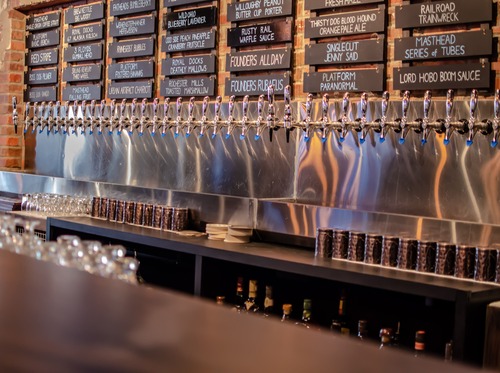
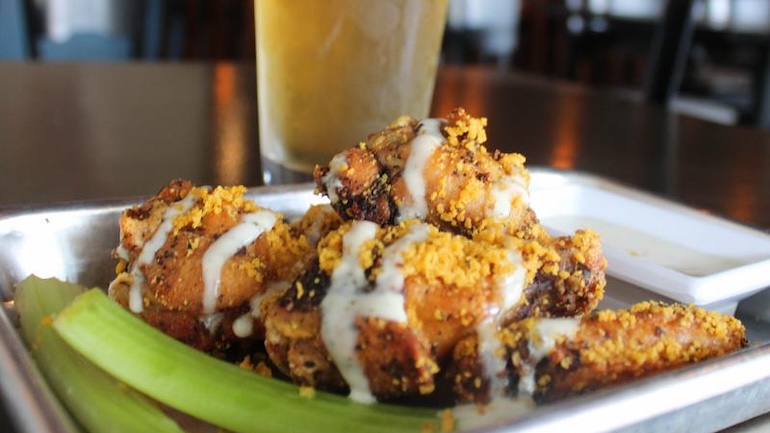
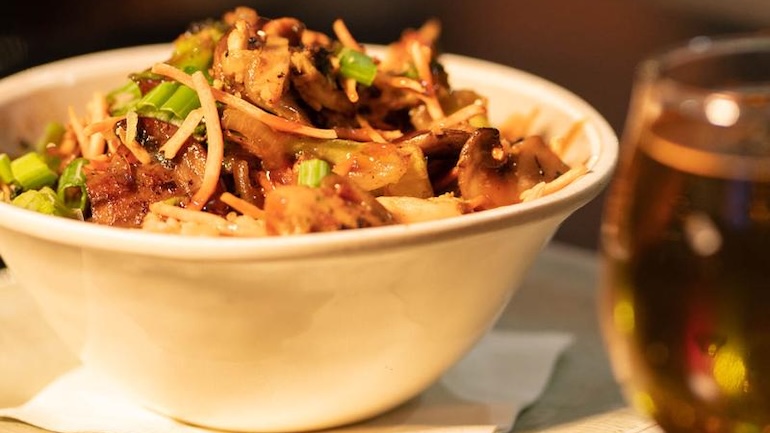
Located in downtown Lakewood, Ohio, Sauced Taproom has been serving its community since 2018 as a neighborhood bar and grill built around craft beer and scratch-made comfort food. With roughly 50 rotating beers on tap and a broad menu that includes everything from pizza to gnocchi bowls and small plates to full entrées, variety is a defining part of the guest experience.
Owner Geoff Mathias brings more than two decades of restaurant experience to Sauced Taproom. He remains closely involved in day-to-day operations, from menu decisions to back of house processes, with a focus on running a business that’s as disciplined as it is welcoming. “If you don’t trust your numbers, you’re really just guessing,” Geoff says.
As the restaurant matured, so did the complexity behind the scenes. Managing a constantly evolving beer program alongside a dynamic food menu requires close attention to product movement, waste, and food costs – especially in an operation where margins matter and decisions are made quickly.
By late 2024, the volume of rotating beers and menu changes meant inventory decisions were happening weekly – not just monthly – making accuracy essential to day-to-day operations. To support that level of visibility, Sauced Taproom brought inventory and sales together using TouchBistro’s restaurant inventory management software.
Where Inventory Data Fell Short
As inventory decisions became more frequent, the restaurant’s existing systems struggled to keep pace.
At the time, Sauced Taproom was using Toast for point-of-sale (POS), alongside a third-party inventory solution that relied heavily on invoice scanning and manual auditing. Because inventory and sales lived in separate systems, updates weren’t immediate and sales data had to be reconciled after the fact, slowing down the entire inventory process. Glitches, inaccurate invoice scans, and limited customer support made it difficult to trust the data or resolve issues quickly.
Inventory tracking was one of the clearest pain points. When discrepancies appeared, it wasn’t immediately obvious whether the issue stemmed from missed invoices, item-mapping errors, or actual waste. Identifying the root cause often required additional follow-up, extending time spent on inventory, and delaying decisions.
“You’d spend time trying to figure out why something was off before you could even think about fixing it,” Geoff says. Waste tracking followed a similar pattern. While it could be logged, the data wasn’t clear enough to act on. Without reliable ideal-vs-actual usage data, it was difficult to determine whether discrepancies were caused by operational issues or reporting gaps.
Food cost reporting also required extra checks. Because inventory and sales data were disconnected, reports couldn’t always be taken at face value. Instead of using inventory insights to guide purchasing or menu decisions, the team spent time confirming numbers before acting.
The restaurant needed back of house software that reflected real sales activity, updated quickly, and didn’t require extra reconciliation work.
Cost and complexity ultimately made the decision clear. While Sauced Taproom was generally happy with Toast as a POS, rising credit card processing fees and the growing reliance on third-party tools – particularly for inventory – made the system harder and more costly to maintain.
Introducing TouchBistro Inventory Management
When Sauced Taproom set out to fix its inventory challenges, the goal wasn’t to add more tools or layers of reporting. It was to connect inventory directly to sales so counts, usage, and costs were updated along with restaurant sales.
In October 2024, the restaurant adopted TouchBistro Inventory Management and TouchBistro POS. Inventory Management is designed to give restaurants a clearer, more accurate view of inventory by connecting counts, invoices, and usage directly to point-of-sale data. “TouchBistro does everything you want it to do for good value,” Geoff says.
The onboarding process was straightforward. “If you have invoices well organized and everything digitized, it’s easy to send over invoices,” Geoff says.
Instead of relying on manual reconciliation or third-party integrations, TouchBistro Inventory Management pulls sales data directly from TouchBistro POS. “The speed of the syncing is very useful,” Geoff says. “There are a lot fewer bugs than my previous system, and some synchronicities that are nice. Plus there’s one less bill to pay. It’s all together from TouchBistro.”
The system also simplified core inventory workflows, including inventory counts, invoice management, ideal-versus-actual usage reporting, and food cost analysis. Counts could be completed directly on any mobile device, invoices were easier to manage, and when something looked off, corrections took effect immediately – without rerunning reports or waiting for data to update.
“If we caught an issue during a count, we could fix it right then and there,” Geoff says. “We didn’t have to come back later and rework everything.” That shift showed up quickly in day-to-day workflows, where inventory data no longer needed to be double-checked before decisions were made.
Why Implement TouchBistro Inventory Management?
Faster, More Accurate Inventory Counts
One of the first benefits Geoff noticed after implementing TouchBistro Inventory Management was how much time he was saving on inventory counts. With inventory and sales finally aligned, counts could be completed more quickly – and with fewer interruptions.
“Counting itself is quick,” Geoff says. “I can carry the iPad around and punch in numbers. Before, we were paper-first.”
Because updates take effect immediately, issues can be addressed during the count instead of after it. Invoice discrepancies were also easier to spot, reducing the time spent tracking down vendor issues before counts could be finalized.
“It’s very easy to troubleshoot the counts,” Geoff says. “I spend significantly less time.”
What once took a full day each month now takes two to three hours, even with frequent menu and beer changes. Counts now produce numbers that don’t require follow-up or rework before decisions are made.
This shift also freed up time for other operational priorities, including ordering and scheduling, as well as menu planning.
“You’re not circling back as much,” Geoff says. “Once inventory is done, you can move on with your day. You don’t realize how much mental energy it takes until it’s gone.”
Clearer Waste Tracking and Food Cost Visibility
Previously, when food costs fluctuated, it wasn’t always obvious whether the issue stemmed from waste, over-portioning, missed invoices, or data gaps. By implementing inventory best practices, including adopting a streamlined restaurant inventory management system, ideal-vs-actual usage became easier to review after counts were completed. This made it clearer where variances were coming from over time.
“Before, you’d see a number was off but not know what actually caused it,” Geoff says. “Once Touchbistro Inventory Management is set up, it just stays accurate – you’re not constantly going back in to fix things. You can click on the report and break down the waste.”
Waste tracking became more actionable as a result. Sauced Taproom even introduced a waste bonus for the kitchen, using clearer waste data to reinforce accountability and improvement. Instead of logging waste without context, the team could see how it affected food costs and usage patterns over time. That made conversations with the kitchen more specific and less reactive.
“It changes how you talk about waste,” Geoff says. “You’re not guessing or assigning blame – you’re looking at real numbers and figuring out what needs to be adjusted.”
That same visibility carried through to food cost reporting. With cleaner usage data tied directly to sales, reports required less validation before use, allowing the restaurant to spot trends and address issues sooner.
Gaining Control Through Better Inventory Data
By pairing TouchBistro Inventory Management with TouchBistro POS, Sauced Taproom eliminated the delays and reconciliation work that previously slowed decision-making. Counts, waste tracking, and food cost reporting now produce data the team can act on immediately, without validation or follow up.
That shift freed the team allowing them to focus on what matters most: running a consistent operation, controlling costs, and making informed decisions with confidence. For a fast-paced bar and grill with 50 rotating beers and constant menu changes, that clarity makes all the difference.

Megan is the Content Marketing Specialist at TouchBistro, where she uses her passion for food to write about the restaurant industry. She’s a big “foodie” at heart, and you can always find her enjoying a delicious meal at a restaurant with friends and family, or cooking one up at home. She also loves relaxing with a good book and making progress at the gym.
The right POS should help you increase sales
The right POS should help you increase sales.