Shopping for a new restaurant point of sale (POS) system means comparing some of the biggest names out there, which includes evaluating TouchBistro vs Aloha.
Both TouchBistro and Aloha by NCR Voyix are popular POS systems. But while these two providers may offer similar products, there are some major differences between TouchBistro and the Aloha POS that make each system better suited to different types of restaurants.
TouchBistro vs Aloha Key Takeaways:
- TouchBistro is best for independent single and multi-location restaurants looking to manage day-to-day operations more efficiently.
- Aloha is best for enterprises and franchises with a high volume of transactions.
Quick Comparison of TouchBistro and Aloha:
| TouchBistro | Aloha |
| Exclusively designed for restaurants | Exclusively designed for restaurants |
| Runs on iOS and Apple iPad tablets | Runs on proprietary Windows terminals, Android devices/handhelds |
| Robust native solutions for independent operators | More robust native solutions for chain/franchise operations |
| Starts at $0-69/month USD | Starts at $0-$65+/month USD for cloud-based plans or custom enterprise quotes |
| Best for independent single and multi-location restaurants | Best for high volume, multi-unit, and enterprise restaurants |
To learn more about other top POS systems, you can also check out our Ultimate Guide to the Best Restaurant POS Systems.
The information contained on this site is accurate as of the time of publication.
Compare the top legacy POS systems for restaurants on features, hardware, integrations, pricing, and more.
Which Restaurant POS is Better, TouchBistro vs Aloha? An Overview
TouchBistro and Aloha are leading restaurant POS and payment processing solutions according to many review sites, including Forbes. However, there are some major differences between the two systems that are important to understand upfront.
Below, we’ll provide a detailed overview of TouchBistro vs Aloha, including how the two systems differ and why it matters for restaurateurs who are in the market for a new POS.
| TouchBistro | Aloha | |
| Regional Availability | CAD, U.S., and more | U.S., CAD, and more |
| POS System | Cloud-based | Locally-installed system with a cloud-based app (Aloha Essentials) Cloud-based system (Aloha Cloud) |
| Operating System | iOS | Desktop System:Windows and Android Mobile Devices:iOS and Android |
| Hardware | iPads, TouchBistro One | Windows and Android terminals; Android and iOS handhelds |
Are TouchBistro and Aloha Cloud-Based POS Systems?
The biggest difference between TouchBistro and Aloha is the setup of the POS system itself.
Aloha’s Legacy POS System
The Aloha POS has been around for quite some time and originally established a reputation as one of the top legacy POS systems. A legacy POS system is sometimes referred to as an “on-premise” or a “traditional” POS because all of the hardware and software is located on-site in the restaurant. This means that all your data is stored on local servers and runs on a closed internal network.
In 2011, Aloha’s parent company Radiant Systems was acquired by NCR Corporation, (previously known as National Cash Register). NCR then undertook the process of modernizing the Aloha POS to compete with newer cloud-based POS solutions.
Since NCR was split into NCR Atleos (focused on ATMs) and NCR Voyix (focused on digital commerce) in 2023, the Aloha POS system has evolved again to include two POS solutions: Aloha Cloud and Aloha Essentials. Aloha Essentials by NCR Voyix solution is more of a traditional legacy system that offers true redundancy onsite. On the other hand, Aloha Cloud is a cloud-first POS system.
Although NCR Voyix has clearly taken steps to modernize its POS technology, there are still some important drawbacks, primarily with the Aloha Essentials legacy solution. The Aloha Essentials POS still mostly relies on proprietary hardware to be installed on-site in your restaurants. This means that if this hardware is damaged or needs to be updated, you may have to bring in a technician. In some cases, you may also need to purchase new hardware just to keep your POS system up to date. And if you’re a multi-unit restaurant using Aloha across your venues, that could mean spending tens of thousands just to replace and repair outdated hardware. Not to mention, a hardwired, on-site POS lacks much of the in-venue and off-premise flexibility of a cloud-based solution.
TouchBistro’s Cloud POS System
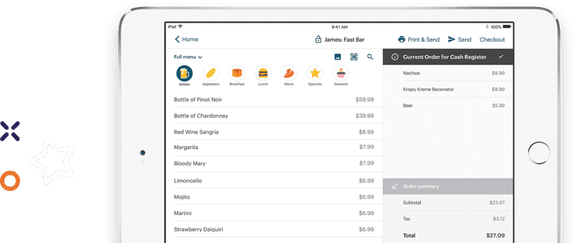
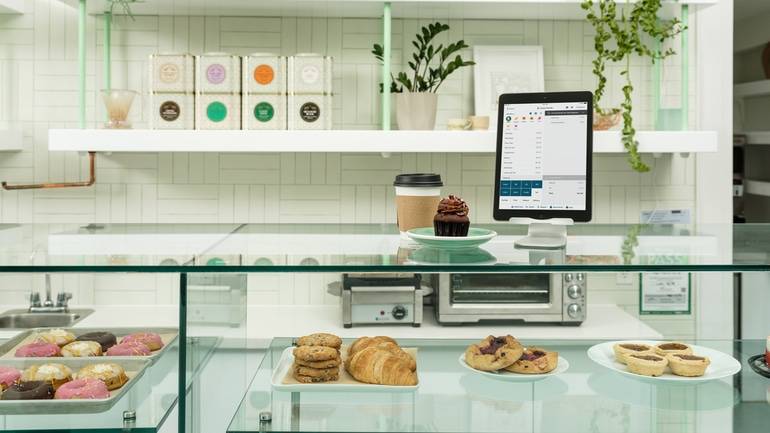
TouchBistro, on the other hand, is more similar to Aloha Cloud by NCR Voyix, in that it is a modern cloud-based POS system. TouchBistro is an iOS-based cloud system that runs on iPads, each of which are equipped with POS software that stores your data in the cloud via remote servers. This means that you can access your POS data from any device, at any time, as long as you have an internet connection.
Since your hardware (the iPads) is not installed directly on-site, you benefit by not needing to bring a technician to your restaurant just to carry out updates or repairs (like you would with the Aloha Essentials by NCR Voyix solution). In fact, with a cloud-based system, updates are rolled out automatically across your devices, so you never have to worry about your operating system being out of date.
Of course, every restaurateur knows that relying on a strong internet connection can be risky. So to ensure that slow or unreliable internet doesn’t bring service to a standstill, TouchBistro also comes with a built-in offline mode that can act as a backup if the internet goes down in your venue. This means that even if you lose internet connection, you can continue taking orders and payments so service never comes to a standstill.
What Software Operating Systems Do TouchBistro and Aloha Use?
The Aloha POS software runs on either Windows or Android, depending on the platform you choose. If you are using NCR Voyix Aloha Essentials, the POS software runs on Windows (with the exception of some Android handhelds, like the NCR Axium series). If you are using NCR Voyix Aloha Cloud, the POS software runs on Android.
While some restaurateurs and staff may appreciate the familiarity of a Windows system, this type of operating system is not commonly used for restaurant POS systems because of its steeper learning curve. Not to mention, Aloha’s POS solutions are robust and highly customizable, which is a strength in some respects, but can also make the software difficult to navigate.
However, if you’re not a fan of Windows or Android, Aloha’s mobile app is also available on iOS. NCR Aloha Mobile is an extension of the Aloha Cloud and Aloha Essentials POS software, and can be used on iPads and iPhones. For many restaurant staff, the iOS operating system is a bit more intuitive and may be preferable to Windows or Android when used for tableside ordering.
If your staff are already familiar with Apple products (like an iPhone or iPad), they will have no trouble picking up TouchBistro. TouchBistro was specifically designed to be a plug-and-play POS system so restaurateurs can get up and running immediately – without a lengthy learning process. This kind of intuitive design not only speeds up the training process, but it also makes it easy for staff to troubleshoot issues on their own, if they arise.
Where are TouchBistro and Aloha Available?
Despite their many differences, TouchBistro and Aloha are fairly similar when it comes to regional availability.
Aloha’s parent company NCR is headquartered in Atlanta, Georgia, and the primary market for the POS system is the U.S. However, NCR is a global business and Aloha is used in more than 180 countries around the world. As a result, the company has gathered significant global insights that it uses to inform its ongoing research and development.
On the other hand, TouchBistro is a Canadian company headquartered in Toronto, Canada, and its primary markets include Canada and the U.S. Beyond these primary markets, TouchBistro has a significant global reach and is used in many countries around the world.
Compare the top legacy POS systems for restaurants on features, hardware, integrations, pricing, and more.
Comparing Aloha vs TouchBistro’s Core POS Features
| Core POS Features | TouchBistro | Aloha |
| Menu Management | ✔ | ✔ |
| Staff Management | ✔ | ✔ |
| Floor Plan Management | ✔ | ✔ |
| Tableside Ordering | ✔ | ✔ |
| Reporting | ✔ | ✔ |
| 1:1 Onboarding | ✔ | ✔ |
| Customer Support | North America-based 24/7/365 | 24/7/365 |
While TouchBistro and Aloha boast a similar set of core POS features, there’s no question that the Aloha POS systems (both Aloha Cloud and Aloha Essentials) are more feature-rich. NCR’s restaurant software was designed for enterprise, which means that the Aloha systems come with all the bells and whistles you could possibly want from a restaurant POS, and can be further customized to fit your venue’s exact needs.
For instance, Aloha’s reporting and analytics features are incredibly powerful, with 300 different reports available on everything from your sales to labor performance. You can customize these reports as needed and export them to well-known accounting and payroll platforms for easy data sharing.
Additionally, Aloha’s multi-location management features are far more powerful than your average POS. In fact, the Aloha POS was specifically designed for multi-location operations and is equipped with a suite of centralized control tools for easy oversight. The Aloha POS is also equipped with powerful enterprise reporting and analytics, and a mobile alert feature that can be used to keep franchisees in the loop about critical site events (i.e. overtime warnings, etc.)
While Aloha’s robust and customizable features are a major plus for enterprise-level restaurants, they may actually be a problem for independent, single-location venues. Because Aloha is so feature-rich, it can take many clicks just to accomplish simple tasks. In fact, the sheer number of complex functions that the Aloha POS offers can sometimes make navigating the software overwhelming and slow down the initial training process.
In contrast, TouchBistro offers a more standard set of core POS features. This is because TouchBistro was specifically designed with independent restaurants in mind (particularly those with 20 or fewer locations), and most of these businesses do not actually need enterprise-level functionality.
TouchBistro’s more streamlined list of functions not only makes the software easier to learn, but also faster to navigate during service because fewer clicks are required to complete common tasks, such as sending orders to the kitchen and splitting checks. In other words, TouchBistro’s core POS features are equipped with everything you need to run an independent restaurant, and nothing you don’t.

Aloha vs TouchBistro POS Hardware
| Hardware Options | TouchBistro | Aloha |
| Handheld Terminal | iPad, TouchBistro One | Axium EX8000, Windows Tablets, Android Tablets, and iPads in some cases |
| Baseline Countertop or Compact Terminal | iPad | CX POS Series, AX5 POS, and VX Modular POS |
| Kitchen Display System (KDS) Screen | iPad, Samsung Galaxy Tab S6, Lenovo Tab P11 Pro, Kitchen Armor, Geekland, and Microtouch | KT2200 Kitchen Touch Display, NCR KC4/KC5 Controllers, CX5 KDS, and Industrial Monitors |
What Hardware Does Aloha Offer?
NCR sells its own proprietary hardware, which is available in two different POS terminal options: Windows desktop (countertop) terminals and Android mobile (handheld) devices. There is also some flexibility to use an iPad as a mobile extension of the system for tableside ordering, but the iPad is not considered part of Aloha’s core hardware setup.
Proprietary hardware can be a plus for some restaurants because it’s highly durable against moisture, spills, and heat. However, investing in a full POS setup of proprietary hardware is an expensive prospect, especially if you’re outfitting dozens of restaurants at once. Not to mention, that if the hardware becomes outdated and no longer supports Aloha’s current software, you will have to buy a whole new set.
Cost aside, using proprietary POS hardware can also be a problem because it also requires you to commit to one POS provider for the long haul. In other words, if you invest in NCR’s pricey terminals, you won’t be able to use your NCR devices with another POS system if you switch providers down the line (which is something you can do if you switch from one iPad POS to another).
Though NCR’s POS hardware certainly has its benefits in terms of durability, the cost and risk of using proprietary hardware are major considerations for any independent restaurants without big corporate budgets.
What Hardware Does TouchBistro Offer?
The TouchBistro POS runs on iOS, so the iPad is the primary piece of hardware. On the one hand, this means that you’re limited to a small number of available iPad models. However, the big upside is that you’re not obligated to purchase your iPads from TouchBistro because the tablets are not proprietary hardware.
This means you could save a significant amount of money on setup costs if you already own a compatible iPad. Additionally, if you’re switching to TouchBistro from another iPad-based POS system, you can continue using any existing iPads you already have (as long as the devices are a compatible generation).
The added benefit of using iPads is the seamless user experience. As mentioned, iOS is a very user-friendly software and so are iPads. The experience is the same across all Apple devices – whether it’s an iPhone or an iMac – so any users who are already familiar with these devices will instantly be able to use an iPad. In other words, if your staff already know how to use an iPhone, they’ll have no trouble learning to use an iPad-based POS.
What Payment Options Do TouchBistro and Aloha Offer?
Both TouchBistro and Aloha offer integrated payment processing as an add-on solution.
| Payment Processing Solutions | TouchBistro | Aloha |
| Payment Types Accepted | Credit, debit, check, and mobile wallets | Credit, debt, and mobile wallets |
| Payment Processing rates | Custom-quoted | Custom-quoted for Aloha Essentials 2.6% – 2.95% + $0.10 – $0.15 per swipe or 3.5% + $0.15 per manually entered transactions |
| Pre-Authorized Bar Tabs | ✔ | ✔ |
| Quick Response (QR) Codes | ✔ | ✔ |
| Invoices | ✔ | ✔ |
| Offline Payments | ✔ | ✔ |
NCR is a leader in banking and ecommerce, so it should come as no surprise that NCR Voyix offers its own integrated payment processing solution for the Aloha POS, NCR Voyix Payments. In fact, most restaurants are encouraged to use this integrated payment processing solution.
NCR Voyix Payments is an end-to-end payments processor that allows you to accept all forms of payment and integrates with all major credit cards. Equipped with the ability to process everything from mobile payments to card not present transactions, NCR Voyix Payments is certainly a good payment processing option for major restaurant chains that handle a high volume of payments.
It’s also worth noting that Aloha is processor-agnostic, which means the system does integrate with other payment processors through an integrated payment gateway. While using a third-party payment processor may seem like a good way to secure a lower payment processing rate, keep in mind that you may have to pay a monthly gateway fee, a middleware license fee, or third-party integration access fee per terminal – all of which could end up costing you more in the long run.. It’s also worth mentioning that opting out of using NCR Voyix Payments may disqualify you from discounted software packaging or hardware bundles.
TouchBistro also offers its own integrated payment processing solution called TouchBistro Payments. TouchBistro Payments integrates with the TouchBistro POS, which means the POS directly speaks to the payment terminals, allowing you to enjoy a seamless flow of data.
Aloha’s Payment Processing Fees
NCR Voyix uses a dual pricing structure for payments depending on the business. For Aloha Cloud plans there’s a flat rate, which is typically around 2.6% to 2.95% + $0.10 to $0.15 per swipe or 3.5% + $0.15 per manually entered transactions. With these rates in mind, NCR’s rates can be seen as some of the highest out there.
Plus, the company has been known to charge a higher processing fee for “non-qualified transactions,” without making it clear to merchants what “non-qualified transactions” refers to. While this may not be an issue for major chains that are willing to pay higher fees in exchange for a more robust payment processing solution, it will likely be a barrier for smaller restaurants.
For Aloha Essentials and enterprise clients, NCR Voyix uses custom Interchange-Plus quotes, which can vary widely, especially if a third-party processor is being used due to the added gateway fees.
TouchBistro’s Payment Processing Fees
TouchBistro’s payment processing rates are custom-quoted and vary depending on the type of venue you operate and your processing volume. Once your rate is locked in, you know exactly how much you’re paying without any surprise or hidden fees coming from TouchBistro.
Unlike NCR, which is a financial institution whose entire business model is built on maximizing payments revenue, TouchBistro works with a trusted financial institution to provide payment processing services for restaurants. And because TouchBistro is not owned by a payment processor, you can trust that you’re getting a fair and competitive rate, and that you won’t face surprise fee increases. With TouchBistro Payments, you also enjoy best-in-class payment processing technology, advanced security, and the support of dedicated payments experts.

Comparing Aloha and TouchBistro’s Add-On Solutions
TouchBistro and Aloha offer similar add-on solutions, including inventory management, online ordering, marketing, and more. However, Aloha does have some additional add-ons that multi-location restaurant concepts can benefit from.
| Add-On Solutions | TouchBistro | Aloha |
| Integrated Payments | ✔ | ✔ |
| Inventory | ✔ | ✔ |
| Labor Management & Staff Scheduling | ✔ | ✔ |
| Online Ordering | ✔ | ✔ |
| Integrated Delivery | ✔ | ✔ |
| Reservations | ✔ | ✘ |
| Gift Cards | ✔ | ✔ |
| Loyalty and Customer Relationship Management | ✔ | ✔ |
| Marketing | ✔ | ✔ |
| Back Office Management | ✔ | ✔ |
| Self-Serve Kiosks | ✘ | ✔ |
| Kitchen Display System | ✔ | ✔ |
| Customer Facing Display | ✔ | ✔ |
As a POS system built for enterprise, it should come as no surprise that Aloha also offers some more specialized add-on solutions. For instance, Aloha offers a number of solutions fit for major QSR chains, such as self-ordering kiosks (powered by GRUBBRR), digital menu boards, and drive-thru solutions. For major QSR brands, these kinds of digital solutions can be extremely beneficial in driving efficiency and cost-savings.
While Aloha certainly offers a lot when it comes to add-on solutions, Aloha POS system reviews reveal that the platform is missing one very important feature: a native reservations management system.
Unlike NCR Aloha, TouchBistro offers a complete reservation system and guest management platform called TouchBistro Reservations. TouchBistro Reservations is a POS add-on and end-to-end solution that allows guests to reserve tables directly through a restaurant’s website, Facebook page, or the TouchBistro Dine platform. These reservations sync directly to the TouchBistro POS, giving restaurants an easy way to manage and optimize their bookings.
Not to mention, TouchBistro Reservations costs one flat monthly fee for unlimited bookings, so you never have to worry about paying pricey cover fees like the kind charged by third-party reservation systems.
Compare the top legacy POS systems for restaurants on features, hardware, integrations, pricing, and more.
What Integrations Do TouchBistro and Aloha Offer?
Both TouchBistro and Aloha offer integrations with numerous third-party partners to expand the capabilities of their POS systems. These integrations are usually for specialized services such as accounting, payroll, marketing, ecommerce, and more.
| Integration Partners | TouchBistro | NCR Aloha |
| Online Ordering and Delivery | ✔ | ✔ |
| Reservations | ✘ (in-house solution, TouchBistro Reservations) | ✔ |
| Loyalty | ✘ (native solution, TouchBistro Loyalty) | ✔ |
| Marketing | ✘ (native solution, TouchBistro Marketing) | ✘ (native solution, Aloha Consumer Marketing) |
| Staff Management, HR, and Payroll | ✔ | ✔ |
| Inventory Management | ✔ | ✔ |
| Accounting | ✔ | ✔ |
| Reporting and Analytics | ✔ | ✔ |
| Ecommerce | ✘ | ✔ |
In addition to the services listed above, the Aloha restaurant software also integrates with a number of other third-party apps, including OpenTable for reservations and Deliverect for online ordering aggregation. In total, Aloha offers more than 250 certified partners that can be integrated into your POS system. For enterprise restaurant chains, this is extremely beneficial, as it significantly extends the capabilities of the Aloha POS system.
In contrast, TouchBistro offers a more curated list of third-party integration partners. This list is largely made up of best-in-class solutions, like MarginEdge, 7shifts, Push Operations, DoorDash, and more.
TouchBistro tends to lean on its native, in-house solutions for services like online ordering and reservations, rather than third-party partners. For many restaurants, these kinds of in-house solutions are preferable to third-party integrations because there is less risk of errors and data loss. Not to mention, in-house solutions make getting a hold of customer support far easier because there is only one number to call: your POS provider.

How Much Do Aloha and TouchBistro Cost?
| Pricing | TouchBistro | Aloha |
| Software Pricing | Point of Sale: starting at $69 USD / month Essentials: starting at $119 USD / month Custom Setup: custom pricing | Aloha Cloud POS: Launch Kit: $0 / month for core POS features (does not include add-ons, hardware, or payment processing fees) Custom Kit: custom pricing |
When it comes to the Aloha POS, the price will depend on which POS system you choose. Pricing for the Aloha Cloud system starts at $0 per month for the brand’s Launch Kit. While this sounds like a great deal, it’s worth noting that this $0 per month package covers just one POS software license and does not include any hardware costs or monthly payment processing costs (which can clock in at a whopping 2.95% processing + $0.15/txn). Not to mention, the Launch Kit is specifically meant for single-location quick-service restaurants, which means anything beyond a small coffee shop or burger joint will probably find the solution quite limiting. Plus, you’re required to sign a three-year contract with NCR, which locks you in with one provider for a long time.
If you need more functionality than the Launch Kit package, you can instead opt for the Custom Kit package. This package is meant for restaurants that require additional tech and those with multiple locations. For this package, you’ll need to contact Aloha directly for a custom quote.
For non-cloud users, pricing is a little more complicated. Unfortunately, NCR isn’t very transparent when it comes to pricing for the Aloha Essentials system. NCR does not make any pricing information available publicly on its website, which means you must contact the company in order to get a quote for both Aloha’s software and hardware. And while there is no starting price listed, keep in mind that Aloha is primarily designed for enterprise-level restaurants and that kind of feature-rich system never comes cheap. In other words, you get a lot with the Aloha Essentials POS and recent Aloha POS system reviews suggest you should expect a big price tag to match.
In contrast, TouchBistro is much more transparent with its pricing. TouchBistro’s plans start at an affordable $69 USD per month for one license. There are also bundles available at different price points, including the Essentials bundle, which starts at $119 USD per month with $0 hardware upfront. Regardless of which plan you go with, all of TouchBistro’s plans include all the core POS features, unlimited users, free updates, and 24/7/365 support.
If you are using TouchBistro and you don’t already own iPad tablets, you’ll also need to factor in the cost of this hardware. A regular iPad will set you back around $350 for a brand-new device. While this may seem a little steep, this is actually less than the cost of most legacy hardware, like the terminals sold by NCR. Not to mention, if you already own compatible iPads, you can simply reuse your existing tablets and avoid paying for new POS terminals entirely.
Comparing Aloha vs TouchBistro on Customer Support Quality
When you compare Aloha vs TouchBistro on the availability of customer support, both companies are fairly comparable. Both offer 24/7 support, available 365 days of the year.
Where you might notice some differences is in the quality of support and who will be assisting you. As a major commerce corporation serving both retail and restaurants businesses across the world, NCR Voyix’s support team can be a little more hands-off and difficult to reach. Tier 1 calls made to NCR Voyix go through offshore centres, while tier 2 calls or escalations are North America-based.
On the other hand, TouchBistro’s customer support is all local, North America-based. TouchBistro is also a much smaller company and is able to offer a more personal touch when it comes to support for operators. In fact, unlike NCR Voyix, TouchBistro’s support team is largely staffed by former and current restaurant servers, owners, and managers. This means that when you call in, you’ll likely be speaking with someone who has first-hand experience dealing with restaurant industry specific issues.
Compare the top legacy POS systems for restaurants on features, hardware, integrations, pricing, and more.
Frequently Asked Questions (FAQs)
Which POS is easier for staff, Aloha or TouchBistro?
TouchBistro is easier for staff to learn and use on a daily basis because its iOS interface will instantly feel familiar to anyone who has used an iPhone in their personal life. In contrast, Aloha’s proprietary POS terminals come with a steeper learning curve.Aloha’s complex menu setup and technical manager controls also make onboarding new employees noticeably harder compared to TouchBistro’s plug-and-play setup.
What is better for restaurants, Aloha or TouchBistro?
TouchBistro is a better choice for independent restaurants that require a straightforward, easy-to-use restaurant management system. However, Aloha can be the ideal solution for restaurateurs operating high-volume venues, multi-unit franchises, and enterprise chains thanks to its deep multi-station kitchen routing capabilities and integrations with over 250 back office tools.
Which POS is more affordable, Aloha or TouchBistro?
TouchBistro is more affordable than Aloha, especially since Aloha is designed for operators with enterprise-sized budgets. TouchBistro starts at $69 USD per month and does not require the purchase of a full suite of proprietary hardware. On the other hand, Aloha Essentials is custom-quoted, but requires a full proprietary hardware setup. . And while Aloha Cloud is advertised for $0 with the “Launch Kit,” this price is only for the first POS license and comes with limited features. Plus, the high payment processing fees can drive the costs up rather quickly.
Is Aloha or TouchBistro better for quick-service restaurants?
Aloha is a great solution for quick service restaurants (QSRs), especially high-volume concepts with drive-thrus and complex modifier chains. Aloha is engineered specifically for counter-service throughput, featuring native multi-lane drive-thru integration, industrial bump-bar Kitchen Display Systems (KDS), and a rapid-entry cashier interface that lets staff punch in orders with minimal taps. On the other hand, TouchBistro delivers a more accessible, cost-effective, and user-friendly QSR solution for 1-20 unit operations. The use of the intuitive iPad interface allows front of house staff to process orders quickly and built-in upselling prompts make it easy to train staff on.
Which POS has better offline mode, Aloha or TouchBistro?
NCR Voyix Aloha provides an enterprise-grade offline architecture built around an in-venue back of house server, making it more resilient for high-volume operations. When an internet outage occurs, Aloha Essentials’ local server failover (Redundancy Mode) ensures uninterrupted terminal sync, kitchen display routing, and payment spooling across multi-terminal setups. Meanwhile, TouchBistro delivers a lighter-weight offline solution using a local Wi-Fi network.
TouchBistro vs Aloha: The Bottom Line
In summary, TouchBistro is best for independent single and multi-location restaurants, offering a robust all-in-one restaurant management system with easy-to-use software, non-proprietary hardware, and 24/7/365 North America-based support.
On the other hand, the Aloha POS is a great option for enterprise restaurant chains and franchises like Starbucks and Chipotle. Aloha not only offers the complex features these big brands demand, but its integrated payment processing solution is also a good fit for restaurants that process an extremely high volume of orders.
At the end of the day, every restaurant is unique, which means that no point of sale system can be a one-size-fits-all solution. With this head-to-head comparison of the two solutions, you now have all the information you need to review TouchBistro vs Aloha and determine which company is the right POS provider and payment processing solution for your specific restaurant.
Know someone who’s looking for an Aloha alternative or could benefit from TouchBistro?

Katherine is the Content Marketing Manager at TouchBistro, where she writes about trending topics in food and restaurants. The opposite of a picky eater, she’ll try (almost) anything at least once. Whether it’s chowing down on camel burgers in Morocco or snacking on octopus dumplings in Japan, she’s always up for new food experiences.
Comparing POS systems? Get our Ultimate Guide
The right POS should help you increase sales
The right POS should help you increase sales.